NAVER Pay
현장결제 인터랙션
Interaction Design
애플페이는 수수료와 단말기 문제 등으로 인해 여전히 아이폰 유저들에게 멀게 느껴집니다. 반면, 모두에게 친숙한 네이버페이는 결제 가능한 가맹점 수를 빠르게 늘려가고 있습니다.
7년 넘은 아이폰 유저로서, 카드를 대신할 수 있는 가장 좋은 오프라인 결제 수단은 네이버페이가 될 수 있다고 생각합니다. 홈 화면의 위젯을 터치하는 순간부터 결제 완료 후 포인트를 받는 과정까지. 직접 사용해 보면서 느낀 점을 기반으로 인터랙션에 초점을 둔 프로젝트를 시작했습니다.


Due to issues like fees and device compatibility, Apple Pay still feels distant for many iPhone users. In contrast, Naver Pay, which is familiar to everyone, is rapidly increasing its number of partner stores.
As a long-time iPhone user, I believe that Naver Pay could be the best offline payment method to replace credit cards. Based on my personal experience, from tapping the widget on the home screen to receiving points after completing a payment, I started a project focusing on the interaction.
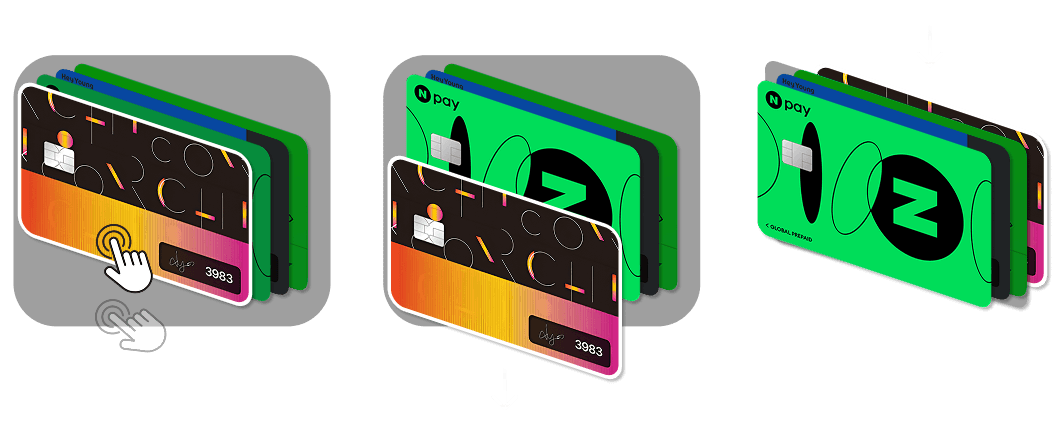
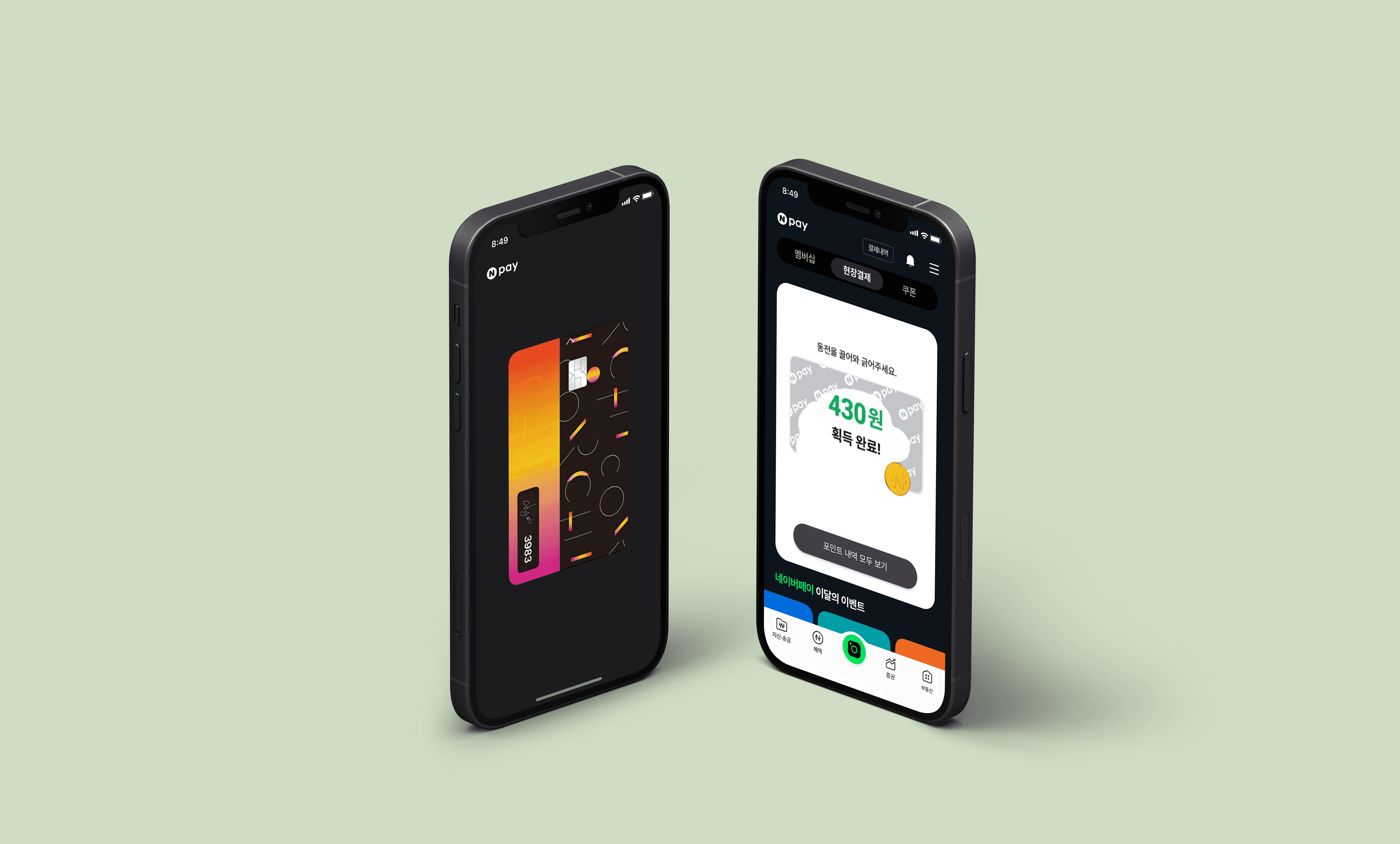
위젯에서 전체 화면으로 부드럽게 확장되고, QR코드가 로딩되는 동안 카드 앞면을 일정 시간 보여줍니다. 카드가 뒤집어지는 애니메이션 이후 QR코드와 카드명이 함께 나타나도록 설계했습니다. 사용자가 맨 앞 장의 카드를 아래로 드래그하면 뒤에 있던 카드가 자연스럽게 앞으로 이동합니다. 다른 카드로 결제를 원할 시, 드래그 한 번으로 빠르게 변경할 수 있습니다.
The widget smoothly expands to full screen, displaying the front of the card for a set duration while the QR code loads. After the card flips, the QR code and card name appear together. When the user drags the front card downward, the card behind it naturally moves forward. If they want to pay with a different card, they can switch quickly with a single drag.
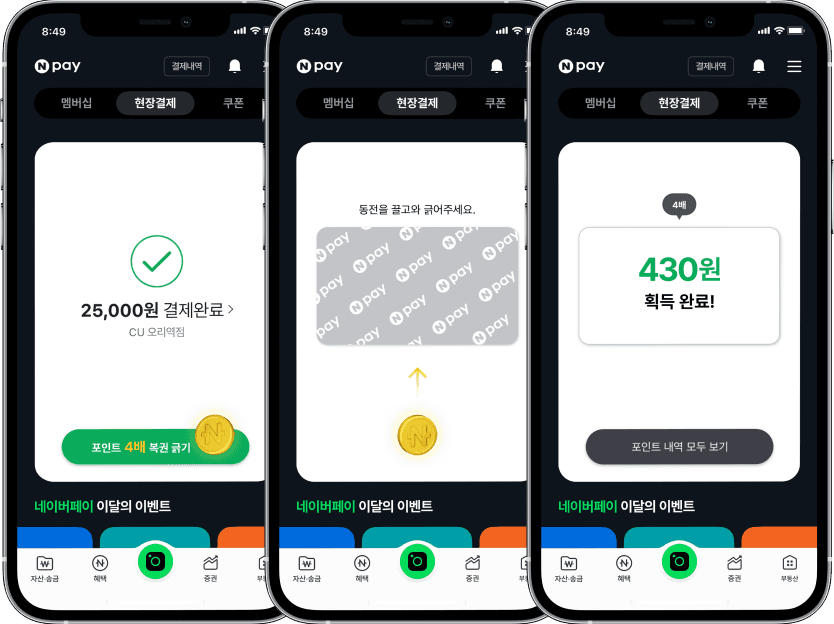
결제 후 포인트를 얻는 과정에서 사용자의 참여도를 높여 더 많은 즐거움을 느낄 수 있게, 현실에서 복권을 긁는 듯한 자연스럽고 재밌는 경험을 제공합니다.
‘복권 긁기’ 버튼을 누르면, 동전이 중앙에 위치합니다. 사용자가 동전을 드래그하는 경로를 따라 복권 이미지가 긁히는 걸 상상하며 프로토타입을 제작했습니다.
To enhance user engagement in the process of earning points after payment, it provides a natural and enjoyable experience similar to scratching a lottery ticket in real life. When the "Scratch Lottery" button is pressed, a coin appears in the center. I designed the prototype with the idea that as the user drags the coin, the lottery image gets scratched along the path.
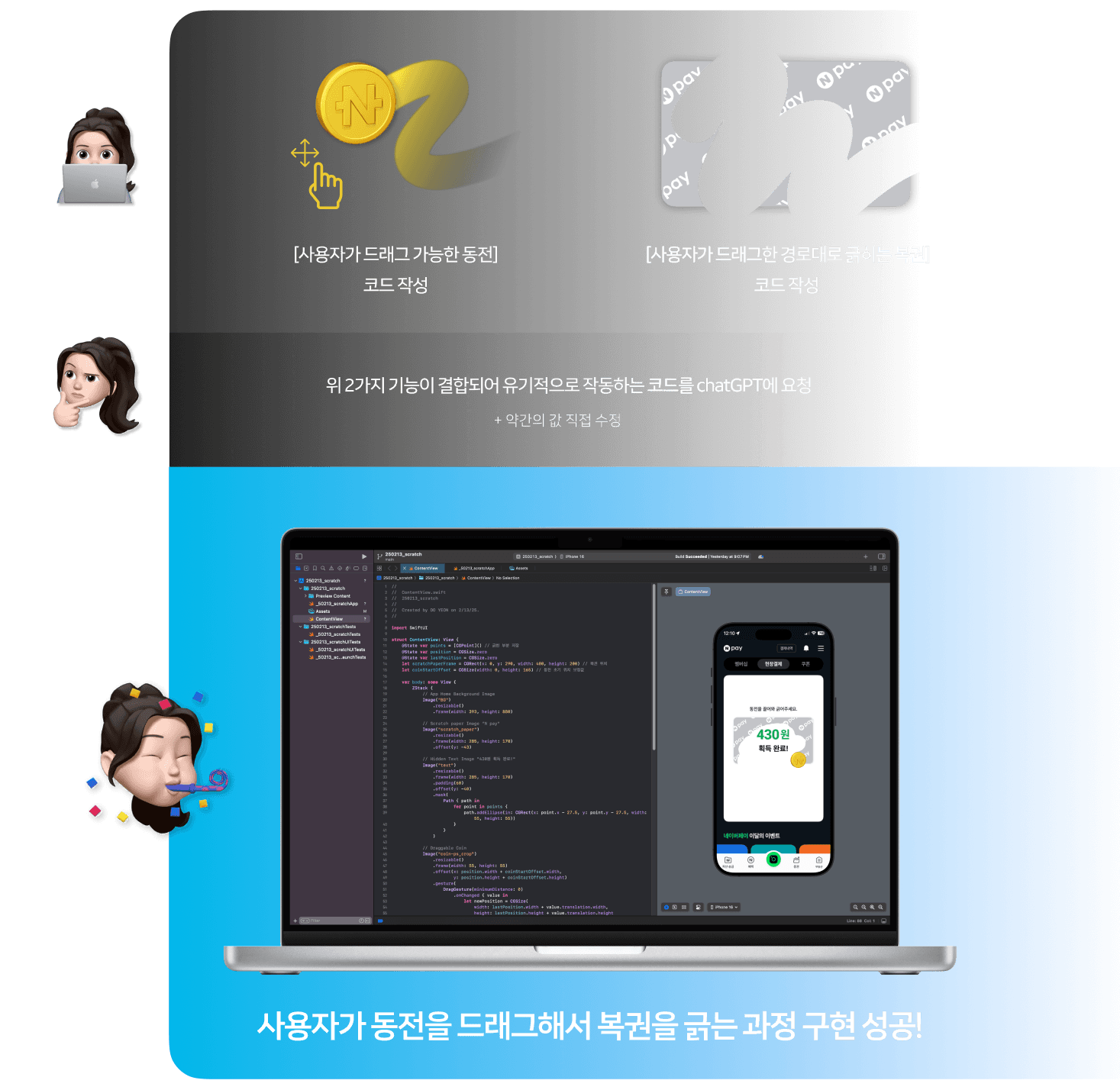
특히 사용자가 직접 동전을 드래그하여 복권을 긁는 과정에 집중하여 해당 인터랙션의 구현 가능성을 확인하고 싶었습니다. 책을 통해 SwiftUI의 기본적인 수식어를 익히고 유튜브 영상을 참고하며 코드를 작성했습니다.
I wanted to focus specifically on the process where the user drags the coin to scratch the lottery, to test the feasibility of implementing this interaction. I learned the basic modifiers of SwiftUI through books and wrote the code while referencing YouTube videos.
구상했던 대로 작동되어 iOS 환경에서의 구현 가능성을 엿볼 수 있었습니다.
이 프로젝트를 통해 제가 가졌던 코드에 대한 두려움은 그저 무지에서 오는 두려움일 뿐이라는 걸 깨달았습니다. 일단 시작하고 학습에 매진하면 디자이너가 다룰 수 있는 영역이 충분히 확장될 수 있음을 알게 되었습니다.
It worked as envisioned, giving me insight into its feasibility in the iOS environment. Through this project, I realized that my fear of coding was merely a fear born out of ignorance. Once I started and dedicated myself to learning, I discovered that a designer’s scope can expand significantly.